What Is The Best Recording Level For Voice-Overs?
Dec 10, 2023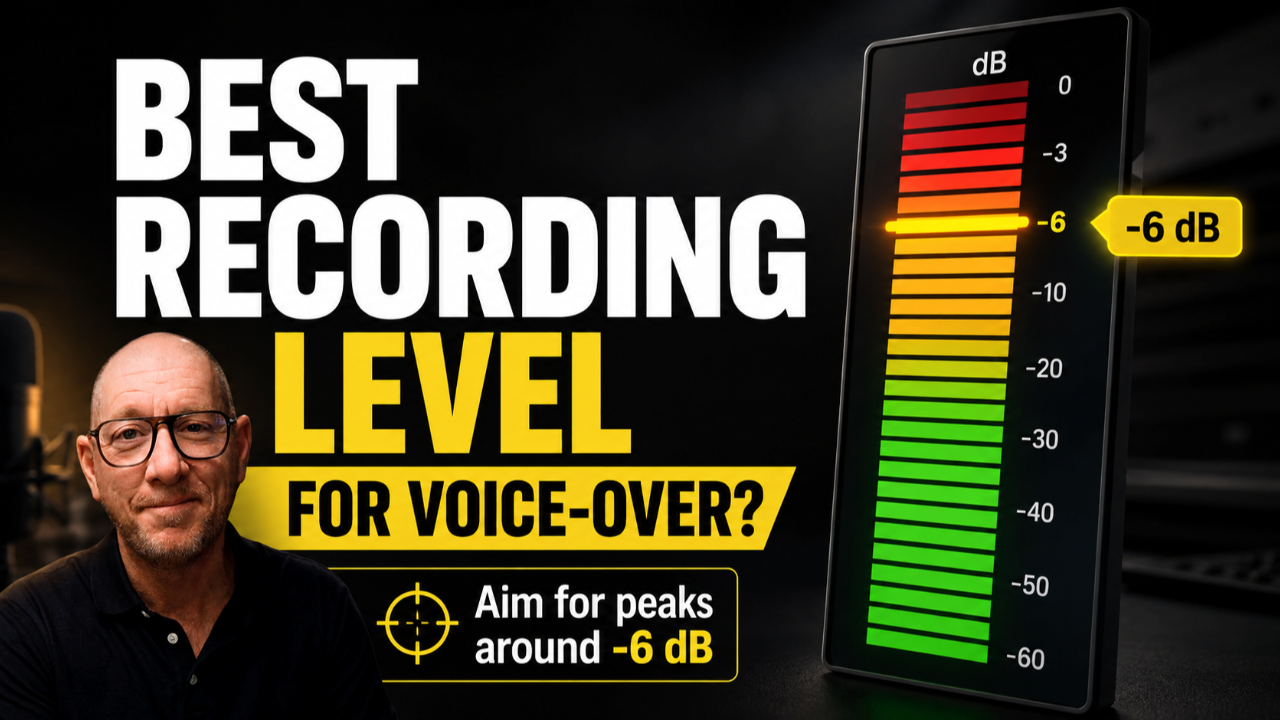
There are a lot of different recommendations about the “best” recording level for voice-over, and that can make something fairly simple feel confusing. My approach is to set the input gain on your preamp or audio interface so that your strongest natural peaks land as close as possible to –6 dB without going over it.
That does not mean every word should hit –6 dB, and it does not mean you need to make your raw recording sound loud. Spoken performance is naturally dynamic. In a healthy recording, much of your voice may sit somewhere around –18 dB to –10 dB, while the strongest words and phrases occasionally reach toward –6 dB.
The goal is to capture a clean, healthy signal with enough headroom to preserve your natural dynamics and leave room for processing and mastering later.
Why I Aim for –6 dB Peaks
A proper recording level is part of the foundation of a professional voice recording. When your input level is set well, you reduce unnecessary noise, protect against clipping, create useful headroom, and give your processing tools a healthy signal to work with.
Just as important, it creates consistency. If your raw recordings are captured at roughly the same healthy level from project to project, everything that happens later—EQ, compression, de-essing, mastering, and delivery—becomes easier to manage.
What I do not recommend is pushing the gain as high as possible simply because the waveform looks bigger or the recording sounds louder in your headphones. Loudness is not the objective during capture. Your job at this stage is to capture the voice cleanly.
Peak Level and Average Level Are Not the Same Thing
One of the most common sources of confusion is treating the number on a peak meter as though it represents the overall loudness of the recording.
A peak meter shows you the loudest instantaneous moments in the signal. When I recommend a target of approximately –6 dB, I am talking about your strongest peaks, not where the meter should sit continuously.
Much of your normal speech will naturally register lower than that. Depending on your voice and performance, an average range somewhere around –18 dB to –10 dB can be completely healthy while your strongest moments approach –6 dB.
That is why trying to “hold” the meter at –6 dB is the wrong goal.
Set the Recording Level at the Source First
The best place to establish your recording level is at the source, using the gain control on your audio interface or preamp.
Speak the way you actually expect to perform. Watch the peak meter in your DAW and gradually adjust the input gain until your stronger natural phrases are approaching –6 dB without crossing it. If you exceed that target, reduce the gain slightly and try again.
You are trying to create the healthiest capture you reasonably can before the audio reaches your processing chain.
This is also why simply turning up the gain because the recording sounds quiet in your headphones can create problems. Your headphone monitoring volume and your recording input level are two different things. If you simply need to hear yourself better, turn up your monitoring level rather than unnecessarily increasing the input gain.
If you want a more practical walkthrough of the setup process, see How To Set The Proper Recording Level For Voice-Over.
What If I Don’t Hit Exactly –6 dB?
You probably won’t—and that is normal.
Speech is unpredictable. You cannot know exactly how powerful every word or phrase is going to be before you say it. You might record an excellent take and discover that the loudest peak landed at –8 dB instead of –6 dB.
That does not mean the recording is bad.
If the recording was captured cleanly and the level is already healthy, you can use DAW gain or peak normalizationafterward to make a small adjustment if necessary.
The important distinction is that post-recording gain adjustment should be a fine-tuning step, not your primary recording-level strategy.
You do not want to intentionally record far too low and then depend on normalization to bring every file up to –6 dB. The preferred workflow is:
Set the gain correctly during capture → record a healthy signal → fine-tune afterward only when necessary.
Normalization Is a Correction Tool, Not the Recording Strategy
Peak normalization can be useful, but it does not replace proper gain staging during the original recording.
If you use normalization after recording, make sure you are working with peak normalization when the goal is to adjust the highest peak to a particular level such as –6 dB. RMS, LUFS, and average-based normalization measure different things and are generally used for different purposes.
The distinction matters because recording level and finished loudness are separate stages of the production process.
Your raw recording does not need to sound like the finished, mastered product.
For a step-by-step version of this process, including optional peak normalization after capture, use my Recording Level Guide.
Recording Level Is Not Mastering Level
This is another distinction that causes a lot of confusion.
Your recording level determines how the voice is captured. Mastering determines how the finished audio is ultimately controlled and presented.
A professional raw recording can sound quieter than someone expects when they first hear it. That is not necessarily a problem. Compression, limiting, EQ, and other processing can shape the dynamics and final perceived loudness later.
Trying to create finished loudness by recording hotter is the wrong way to solve that problem and can actually reduce the headroom you need later.
If you want a deeper explanation of that distinction, read Recording Level Vs. Mastering Level.
The Simple Rule to Remember
If you only remember one thing from this article, make it this:
Use your interface or preamp gain to capture your voice so that your strongest natural peaks approach –6 dB without exceeding it.
Do not chase loudness. Do not worry if normal speech sits considerably lower. And if a clean recording finishes a little below your target, a small post-recording gain adjustment is perfectly acceptable.
Getting the capture right first gives everything you do a better foundation afterward.
Prefer to learn this on your own?
My Recording Levels Training Course walks you through meter reading, input gain, and practical setup examples so you can set your recording level with confidence and stop second-guessing it.